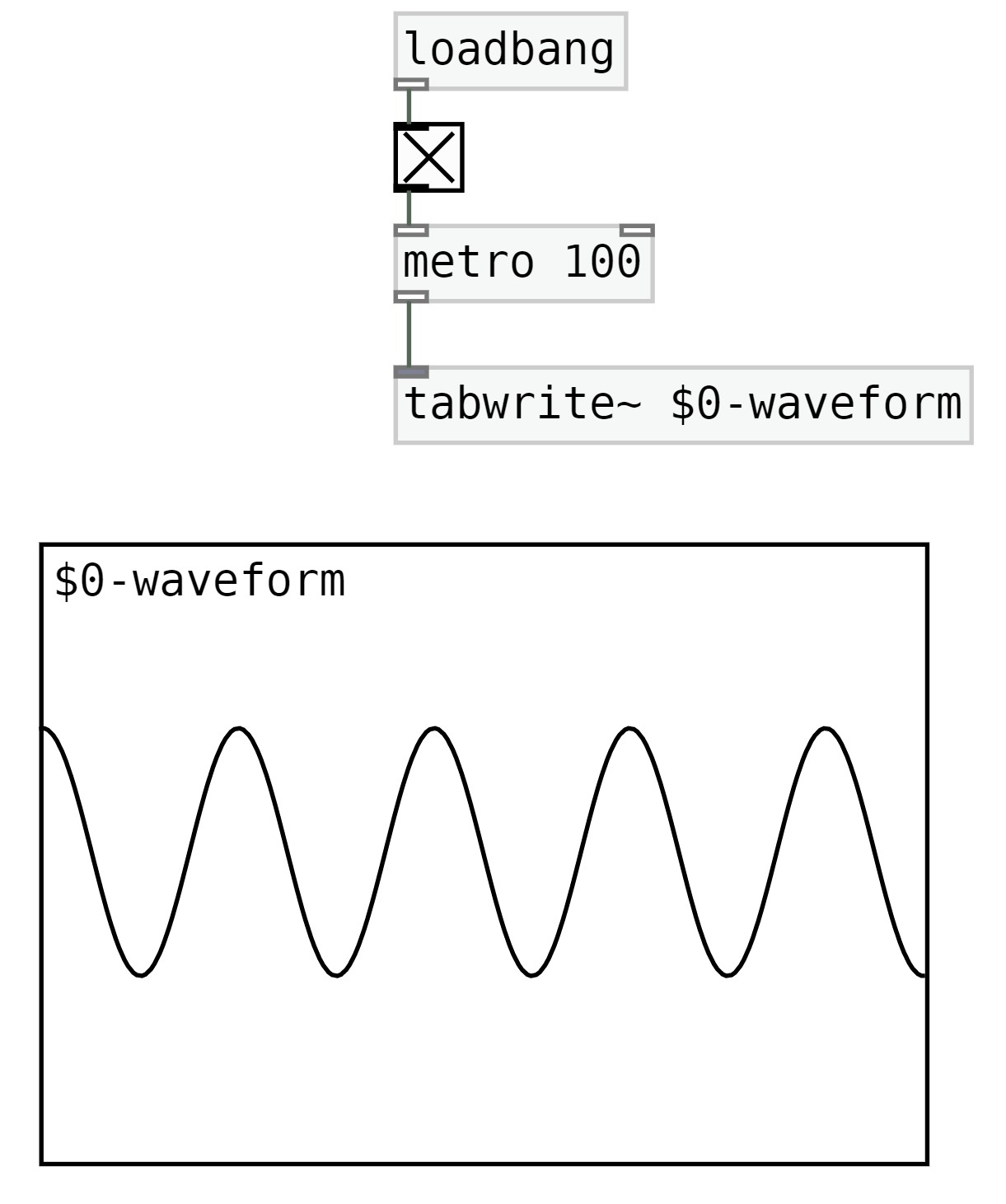
Oscilloscope Oscilloscope, visualising the generative sound; create an oscilloscope through the array atom box and [tabwrite~] object
1. Add [tabwrite~] object with a name and array atom box Add [tabwrite~] object, give the tabwrite object a name. In this instance, I’m going to write $0-some name in this instance i’ll give it the name waveform. "$0-" is commonly used in pure data best practices because it prevents naming collisions. The technical side of dollar sign zero is that is gives it a Unique Identifier. So every time a patch or abstraction is instantiated, Pd assigns a unique $0 value to that specific instance. This value is different from the $0 values of other instances, even if they are copies of the same abstraction. This uniqueness allows for the creation of local send/receive pairs, arrays, or other named objects within an abstraction that are specific to that instance.
Add the [loadbang] object, and in its outlet connect a toggle. Make sure the toggle is X'd out so its turned on. The toggles outlet should be connected to a [metro]. We'll use [metro 100], 100 miliseconds is a reasonable amount to visual the generative sound in the oscilloscope. Make sure [metro 100]'s outlet is connected to [tabwrite~ $0-waveform]. The metro allows the visualisation or animation of the sound into the array object.
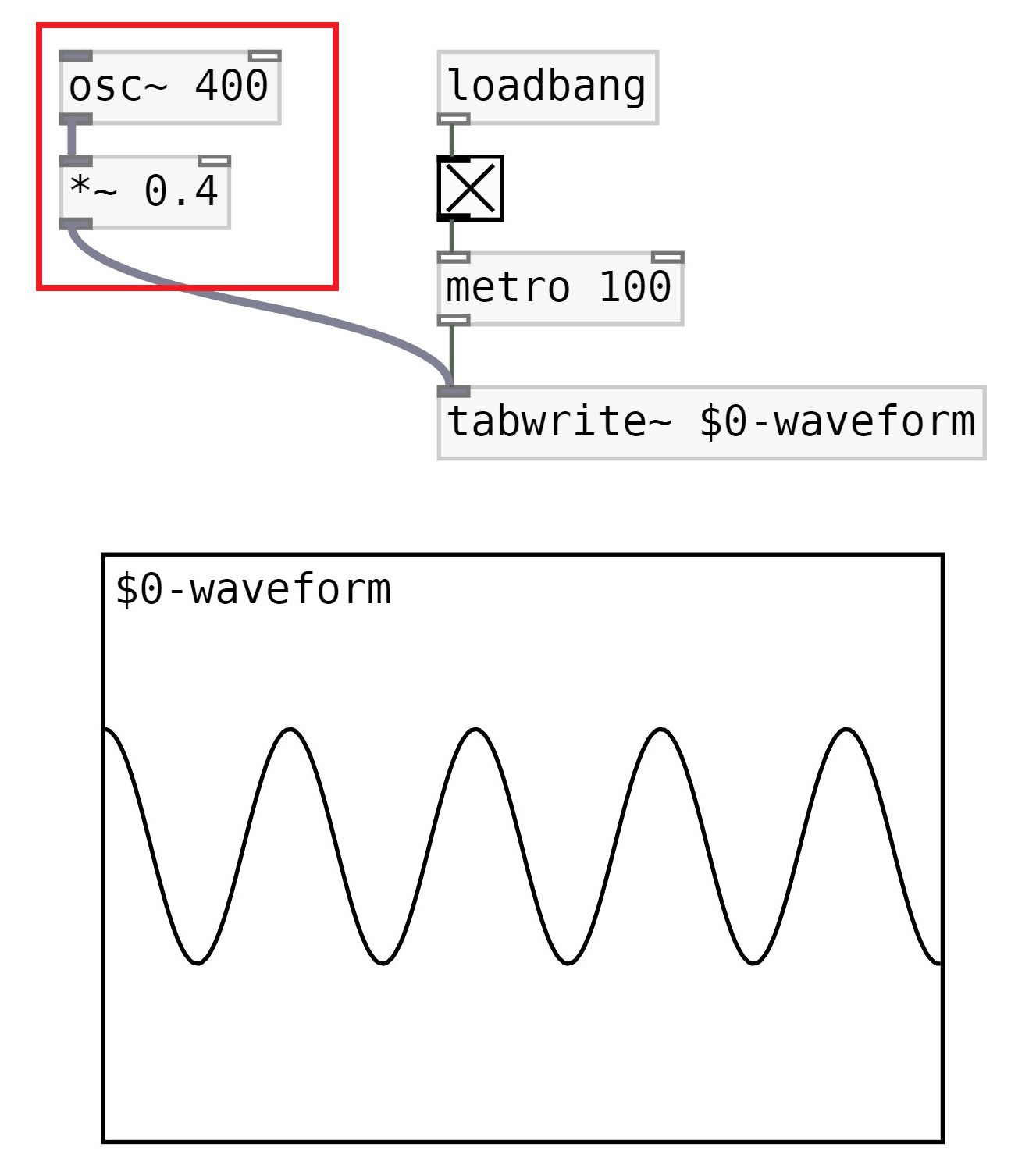
2. Connect the generative output's outlet (outlined with red box) into the inlet of [tabwrite~] object as displayed in image below. Congratulations you've now created an oscilloscope!
this is a dummy test text. this is a dummy test text. this is a dummy test text. this is a dummy test text. this is a dummy test text. this is a dsummy test text. this is a dummy test text. this is a dummy test text. this is a dummy test text. this is a dummy test text. this is a dummy test text. this is a dummy test text.
 1. Add [tabwrite~] object with a name and array atom box